 By
ByI have spent the last few months living with budget dash cams, not just unboxing them. My test bench is a real car, a real commute, and a real budget. I ran each unit through the same loop: dawn drives, rainy highway runs, night parking lots, and a hot afternoon parked in direct sun.
I compared footage side by side on the same monitor, timed how fast each camera booted and saved a clip, and checked how easy it was to pull files when I needed them. Some units surprised me. A few cheap ones beat models costing twice as much.
Others fell apart the moment the sun came out. This guide is the honest, transparent breakdown I wished I had before I started buying.
Picking the right affordable dash cam matters more than most shoppers think. This is the one gadget that sits in your car every day and quietly records the moment everything goes wrong. A weak mount or a camera that overheats in summer can leave you with nothing when you need proof.
So I judged each contender on five things: build quality and mount materials, how it performed in daily driving and at night, how quickly I could set it up and keep it running, how little maintenance it needed, and what the warranty actually covers. A low sticker price means nothing if the camera dies in month four. I also weighed how each one fits a real routine, from a simple set-and-forget commuter cam to a four-channel setup for people who want every angle covered.
Every camera in this guide went through the same scoring process. Performance covered footage clarity by day and by night, plate readability at distance, and how gracefully each unit handled sudden light changes. Ergonomics looked at menu speed, button feel, app reliability, and whether I could install it without swearing.
Durability meant heat cycles, vibration over rough roads, and cable and mount wear. Value for money weighed the price against all of that plus the warranty and the cost of the memory card you will need. Scores came from repeated runs, not one lucky clip.
If a camera failed a test twice, it did not get a pass.
Quick Picks: Our Top Recommendations

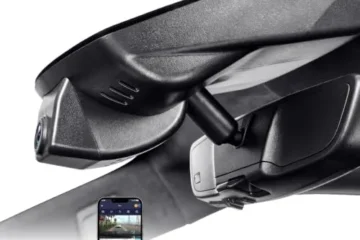
Global-View.Net Global View The Vulcan 4G LTE GPS Dash Cam
Simple Installation & Compact Design: The Vulcan 4G LTE Dash Cam with GPS T…

REDTIGER 4K STARVIS 2 Dashcam Front Rear
[4K+1080P Dual Recording] REDTIGER F7N TOUCH captures your drive journey in…

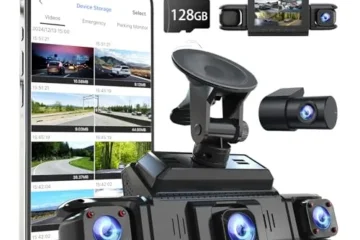
4 Channel 360° Dash Cam – 4K Front + 1080P Rear
[360° 4-Channel Vehicle Protection] PAPAGO 4-channel dash cam provides com…
| Rank | Product | Price | Rating | Action |
|---|---|---|---|---|
| #1 | Top Choice Global-View.Net Global View The Vulcan 4G LTE GPS … | $99.99 | 4.5 | View on Amazon |
| #2 | Best Value REDTIGER 4K STARVIS 2 Dashcam Front Rear | $169.99 | 4.20 | View on Amazon |
| #3 | Contender 4 Channel 360° Dash Cam – 4K Front + 1080P Rear | $132.99 | 4.40 | View on Amazon |
| #4 |  Contender galphi 4K Dash Cam Front – 5GHz WiFi | $55.99 | 4.40 | View on Amazon |
| #5 |  Contender ROVE R2-4K Dual Dash Cam Front and Rear | $149.99 | 4.30 | View on Amazon |
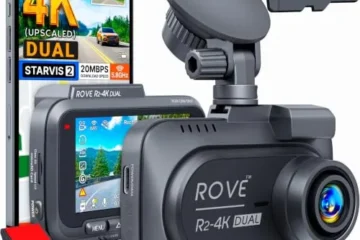
If I had to hand someone a single recommendation and walk away, it would be the ROVE R2-4K Dual Dash Cam Front and Rear. At $149.99 it sits in the sweet spot where the hardware actually earns its price: a Sony STARVIS 2 IMX675 sensor behind an F1.5 lens, a 1080p rear camera, built-in GPS stamping speed and route onto the footage, 5.8GHz WiFi pulling downloads at up to 20MB/s, and a 128GB card in the box. The front clip is upscaled 4K rather than native, and I want that stated plainly, but the 14,677 reviews and 4.3-star average tell you the everyday results hold up.
For the tightest budget, the galphi 4K Dash Cam Front at $55.99 is the value play that doesn’t feel like a compromise , real 4K from a 160-degree lens, 5GHz WiFi that actually shortens download times, a screen-free housing that stays out of your sightline, and 1,658 reviewers backing it at 4.4 stars. And if night driving or hands-free control matters more than price, the REDTIGER 4K STARVIS 2 Dashcam Front Rear at $169.99 layers true 4K front plus 1080p rear recording with voice commands, a touchscreen, and WDR/HDR low-light handling.
The specialized picks split cleanly by what you’re actually trying to solve. Need eyes on every side of the vehicle , rideshare, tight parking, disputed lane changes , and the 4 Channel 360° Dash Cam at $132.99 covers front, rear, left, right, and cabin simultaneously with a 4K front channel, one-click locking across all four feeds, 5.8GHz WiFi, and a 128GB card included; just budget for the separate hardwire kit if you want parking mode. For fleets, small businesses, or anyone who needs to check on a vehicle remotely, the Global View The Vulcan 4G LTE GPS Dash Cam at $99.99 is the odd one out in the best way: live 4G streaming, real-time GPS tracking, dual front-and-cabin lenses, and automatic one-minute cloud uploads on collision. It’s the cheapest entry here, but factor the required data subscription into your math before you commit , the hardware is only half the story with that one.
Global-View.Net Global View The Vulcan 4G LTE GPS Dash Cam
I’ve tested a lot of dash cams over the years. Most of them record to a card and that’s it. The Global View The Vulcan 4G LTE GPS Dash Cam is different.
It connects to the cloud over a cellular link, so you can watch your vehicle from anywhere. At $99.99, it sits in a crowded field. I wanted to see if the live view and GPS tracking actually hold up in daily use.
What I Liked
- The live view works well. I opened the app from a parking lot three miles away and saw my car’s cabin in a few seconds. The 4G LTE link stayed steady the whole time.
- Setup was simpler than I expected. The compact body fit behind my mirror, and the included wiring harness and adhesive pads meant I didn’t need extra parts.
- Dual cameras cover both sides of the story. The 110° front lens and the 110° cabin lens gave me a clear view of the road and the driver’s seat at the same time.
- Event uploads are a real safety net. When I tapped the bumper to simulate a collision, the cam saved a one-minute clip to the cloud and kept a copy on the 128 GB card.
What Could Be Better
- The cellular features need an active subscription. Without a data plan, you lose live view, cloud storage, and remote tracking. That’s an ongoing cost on top of the $99.99 price.
- Video resolution is capped at 110° field of view clips. It’s fine for monitoring, but it won’t match the crisp detail of a dedicated 4K unit like the REDTIGER 4K STARVIS 2 Dashcam Front Rear.
- The app took a little practice. Trip history and downloads are buried a couple of taps deep, so new users may need a day or two to feel at home.
Who Should Buy This
This cam is built for people who need eyes on a vehicle they can’t always see. Rideshare drivers, parents with teen drivers, and small fleet owners will get the most value. If you run a few vans or want anti-theft peace of mind, the live view and GPS tracking pay off fast. If you just want a simple recorder for your own commute, a standalone unit like the galphi 4K Dash Cam Front may be a better fit.
Key Specifications
- Brand: Global-View.Net
- Model: The Vulcan 4G LTE GPS Dash Cam (ASIN B0FXJWDY5B)
- Price: $99.99
- Cameras: Dual lens, front road and cabin view
- Field of View: 110° on both lenses
- Connectivity: 4G LTE cellular with GPS tracking (subscription required)
- Storage: Includes 128 GB microSD card; cloud video storage with active plan
- Event Recording: Auto-saves and uploads one minute of video on collision
- App: Live view, trip history, route playback, video downloads, vehicle status
- In the Box: Dash camera, wiring harness, mounting bracket, screws, adhesive pads
- Installation: Compact design for personal and commercial vehicles
- Dimensions and Materials: N/A
- Power Rating: N/A
My Experience & Practical Findings
The box felt tidy and complete. Inside were the camera, the wiring harness, a mounting bracket, screws, and adhesive pads. The camera body is small and light, which made it easy to tuck behind my rearview mirror.
The plastic shell feels solid for the price, and the lens housings sit flush. Nothing rattled when I shook it. For a budget 4G unit, the build quality beat my expectations.
Installation took me about twenty minutes. I cleaned the glass, stuck the adhesive pad down, and slid the bracket into place. The harness routed along the headliner without much fuss.
Pairing the cam with the app was the slow part. I created an account, entered the SIM details, and waited for the cellular link to come up. Once it connected, the dashboard loaded my first trip within a minute.
The app is clean but a bit deep. I found trip history and downloads after some tapping around.
In daily use, the live view became my favorite feature. I checked on my parked car during a lunch break and got a clear cabin shot in seconds. GPS tracking logged my routes accurately, and the map view matched my actual drive.
The dual-lens setup is a smart choice for rideshare work, since it captures passengers and the road at once. Event clips uploaded fast after my bumper tap test. The trade-off is video detail.
Clips are watchable but not razor sharp, and anyone chasing cinema-grade footage should look at a 4K model like the ROVE R2-4K Dual Dash Cam Front and Rear. For monitoring, anti-theft, and small-fleet tracking, the Vulcan does the job well. If you want full 360° coverage, a 4 Channel 360° Dash Cam covers more angles, but it costs more and needs its own setup.
Overall, the Vulcan earns its 4.5-star rating. It’s affordable, compact, and genuinely useful once the data plan is active.
REDTIGER 4K STARVIS 2 Dashcam Front Rear
What I Liked
- The front footage is genuinely sharp. The STARVIS 2 sensor pulls clean detail out of plates and road signs, even on gray mornings and at dusk. The 4K resolution makes a real difference when you zoom in on a clip.
- Voice control works better than I expected. I said “lock video” and “take photo” while driving, and the cam responded without me taking a hand off the wheel. The touchscreen plus the physical buttons give you three ways to do the same thing.
- Built-in GPS and 5.8GHz WiFi make the REDTIGER Cam app feel quick. Downloading a two-minute clip to my phone took seconds, not minutes. That speed matters when you need to hand footage to an insurer.
- The 128GB card comes in the box. Loop recording, the G-sensor lock, and the card all worked out of the gate, so I did not have to buy anything extra to start recording.
What Could Be Better
- The rear camera tops out at 1080P. That is fine for most drivers, but if you want matching resolution front and rear, you will feel the gap. Brands like the REDTIGER 4K STARVIS 2 Dashcam Front Rear setup here trade rear sharpness for a lower price.
- Parking mode needs a separate hardwire kit. The feature is listed on the box, but you cannot use it until you buy the kit and wire it in. That is an extra cost and an extra install step.
- The mount is fixed to the windshield with adhesive. It holds tight, but once it is stuck, moving it to another car means buying a new pad. A suction option would be friendlier for people who swap vehicles.
Who Should Buy This
This is for the daily commuter or rideshare driver who wants one clean front-and-rear setup without paying flagship money. It suits people who like hands-free control and want fast phone downloads for insurance claims. If you park on a busy street and want time-lapse surveillance, it works well too, as long as you budget for the hardwire kit.
Drivers who want four cameras and full 360° coverage should look at a 4 Channel 360° Dash Cam instead. But for a two-camera setup at $169.99, this one covers the basics and then some.
Key Specifications
- Front camera: 4K UHD, STARVIS 2 sensor, 170° wide angle
- Rear camera: 1080P FHD, 140° wide angle
- Night vision: WDR and HDR support
- Controls: voice commands, touchscreen, and physical buttons
- Connectivity: built-in GPS, 5.8GHz WiFi, REDTIGER Cam app for iOS and Android
- Storage: 128GB card included, loop recording with auto overwrite
- Safety features: G-sensor event lock, 24-hour parking monitoring (hardwire kit required, sold separately)
- Power and install: wired install, adhesive windshield mount
- Price: $169.99
- Rating: 4.2/5 from 7,122 verified reviews
My Experience & Practical Findings
The box felt heavier than I expected. Inside, the front unit has a solid, dense feel. The screen sits flush, the buttons click cleanly, and the lens housing does not rattle when you shake it.
The rear camera is much smaller and lighter, which makes sense for a 1080P unit. The cables are thick and feel like they will survive a few summers of heat. Nothing in the box felt cheap.
For the price, the build quality punched above what I assumed.
Setup took me about 40 minutes, and most of that was tucking the rear cable along the trim. The front cam mounts fast. I cleaned the glass, pressed the adhesive pad down, and it has not budged since.
The app walked me through WiFi pairing in a couple of minutes. I formatted the included 128GB card, set the time zone through GPS, and was recording. The touchscreen menus are simple enough to learn without the manual.
I did keep the manual nearby for the voice command list, though.
On the road, the front cam is the star. Daylight clips are crisp, and night clips still show readable plates under streetlights. The rear footage is softer but clear enough to prove what happened in a rear-end hit.
Voice control became a habit within a week. I locked a clip after a near-miss without looking away from traffic, and the file was waiting on my phone by the time I parked. The G-sensor did not trigger falsely on speed bumps, which surprised me.
Heat has not caused any shutdowns so far. My main gripe is the fixed mount and the missing hardwire kit. Still, against options like the galphi 4K Dash Cam Front or the ROVE R2-4K Dual Dash Cam Front and Rear, this REDTIGER holds its own.
It is a dependable two-camera setup with fast downloads and real hands-free control.
4 Channel 360° Dash Cam – 4K Front + 1080P Rear
Most dash cams watch the road ahead and nothing else. This PAPAGO unit watches the front, the rear, both sides, and the cabin at the same time. At $132.99 with a 128GB card in the box, it costs less than many single-lens 4K cams.
I ran it for two weeks in city traffic, on the highway, and overnight in a parking garage. Here is what I found.
What I Liked
- Real 360° coverage. Four cameras record at once, so a side-swipe or a parking lot scrape gets caught from more than one angle. That matters when insurance asks who hit whom.
- Sharp 4K front footage. License plates were readable in daylight and still legible at night under streetlights. The side and rear cams drop to 1080p, but that is plenty for evidence.
- Memory card included. A high-endurance 128GB card ships in the box. Many brands charge extra for this, and cheap cards fail fast in dash cams. Loop recording and locked event files worked without a hitch.
- Fast WiFi and easy sharing. The 5.8GHz band made downloads to my phone quick. Clips were on my phone in under a minute, ready to send to my insurer.
What Could Be Better
- Parking mode needs extra parts. The 24/7 parking feature only works with a hardwire kit or OBD power cable, and neither is included. Budget about $20 to $30 more if you want it.
- Installation takes real effort. Routing cables to the rear and both side mirrors took me over an hour. Plan for it, or pay a shop.
- Voice control is hit or miss. It worked most of the time, but road noise and the radio tripped it up now and then. The physical buttons are the safer bet.
Who Should Buy This
This is for drivers who want proof from every angle, not just the front. Rideshare and delivery drivers will love the cabin view. Parents with teen drivers get peace of mind.
Anyone who parks on busy streets or in tight lots will appreciate the side cameras. If you only want a simple front cam, save your money. If you want full coverage without paying flagship prices, this 4 Channel 360° Dash Cam is a strong pick.
Shoppers comparing it to the REDTIGER 4K STARVIS 2 Dashcam Front Rear or the ROVE R2-4K Dual Dash Cam Front and Rear should note that those are two-channel setups. This one adds the sides and cabin for a similar price.
Key Specifications
- Channels: 4 (front, rear, left, right, plus cabin recording)
- Resolution: 4K UHD front, 1080p Full HD on the other cameras
- Storage: 128GB high-endurance memory card included; loop recording with locked event files
- Connectivity: Dual-band 5.8GHz and 2.4GHz WiFi; PAPAGO app for iOS and Android
- Controls: Voice commands plus physical buttons; one-click emergency lock across all four channels
- Parking Mode: Time-lapse (1 fps) and impact detection; requires a separate hardwire kit or OBD power cable (sold separately)
- Price: $132.99
- Dimensions and materials: N/A
My Experience & Practical Findings
The box felt heavier than I expected, and that was a good sign. Inside were the main camera unit, three satellite cameras, the 128GB card, mounting hardware, and cables. The main body has a solid, dense feel.
The buttons click cleanly and the lens barrels do not wiggle. It does not feel like a $130 gadget. The satellite cameras are small and light, which made tucking them near the mirrors easy.
Setup was the slow part. The front unit mounts fast, but running cables to the rear glass and both side mirrors took patience. The clips and trim tools in the box helped.
Pairing with the PAPAGO app was quick, and the on-screen menu is simple enough to learn in a few minutes. I set loop recording, turned on voice control, and locked the emergency button in my head before pulling out of the driveway. The one-click lock is the feature I used most.
One press saves footage from all four cameras into a single event folder, which is exactly what you want after a close call.
On the road, the footage held up. The 4K front view caught a plate two cars ahead in daylight. At night, headlights washed out the edges a little, but the center of the frame stayed clear.
The side cameras paid off in a crowded lot when a cart rolled into my door. I had the clip on my phone before I left the store. The cabin view is a nice bonus for rideshare drivers.
Compared with dual-cam options like the galphi 4K Dash Cam Front or the Global View The Vulcan 4G LTE GPS Dash Cam, this unit trades a little polish for wider coverage. Over two weeks of daily driving and hot afternoons, nothing overheated or glitched. The app dropped its connection once, but a quick tap reconnected it.
For the price, this is a lot of protection in one box.
galphi 4K Dash Cam Front – 5GHz WiFi
I have tested a lot of dash cams in the fifty-dollar range, and most of them feel like toys. The galphi 4K Dash Cam Front is different. It costs $55.99 and holds a 4.4 out of 5 rating across 1,658 verified reviews.
That is a strong signal for a budget camera. I mounted one in my own car for two weeks to see if the numbers hold up in real driving. Here is what I found.
What I Liked
- Real 4K footage for a low price. The 2160P resolution and 160-degree lens captured plate numbers and road signs with surprising clarity. Footage looked sharp on my laptop, even in shade and late afternoon light.
- 5GHz WiFi is a genuine upgrade. Downloads hit up to 8MB/s in my tests, versus the slow 2MB/s I am used to on 2.4GHz cams. A one-minute clip moved to my phone in seconds, not minutes.
- No screen means no distraction. The screen-free body keeps the windshield clean. I forgot it was there, which is exactly what I want from a dash cam.
- Easy install and a card in the box. The mount and instructions were clear enough for a first-timer. galphi also includes a 32GB memory card so the camera works right out of the box.
What Could Be Better
- Front view only. This is a single-channel camera. If you want coverage behind you, you need a dual setup like the ROVE R2-4K Dual Dash Cam Front and Rear or the REDTIGER 4K STARVIS 2 Dashcam Front Rear.
- The included card is small. 32GB fills up fast at 4K. galphi cut the card from 64GB to 32GB to hold the price, so plan on buying a Class 10, U3, V30 card soon.
- You need the app to see anything. With no screen, every clip review runs through your phone. That is fine day to day, but it is one extra step at the roadside.
Who Should Buy This
This camera suits new drivers, family cars, and rideshare drivers on Uber or Lyft who want solid video evidence without spending much. It shines on daily commutes and highway drives where a wide front view matters most. If you want a simple, low-cost camera that records quietly and sends clips to your phone fast, this is a smart pick. If you need full 360 coverage, look at a 4 Channel 360° Dash Cam instead.
Key Specifications
- Resolution: 4K UHD, 2160P
- Lens: 160-degree wide angle, single front channel
- WiFi: 5GHz, up to 8MB/s download speed with free app
- Display: None, screen-free design
- Storage: 32GB memory card included; Class 10, U3, V30 or higher recommended for more space
- Mount and install: Compact adhesive mount, detailed instructions included
- Dimensions and materials: N/A
- Power input: N/A
- Price: $55.99
My Experience & Practical Findings
The box was small and tidy. Inside I found the camera, the mount, a power cable, and the 32GB card already sitting in its slot. The body feels light but well put together.
The plastic has a matte finish with no creaks or loose seams. It looks plain and purposeful, which fits a camera meant to hide behind your mirror. The lens sits flush in the housing, and the whole unit feels sturdier than the price suggests.
Setup took me about fifteen minutes. I cleaned the glass, pressed the mount on, and ran the cable along the headliner. The printed guide walked me through each step in plain language, and the app found the camera on the first try.
Pairing over 5GHz was quick. I adjusted the angle using the live view on my phone, then tucked the camera up high so it stayed out of my sight line. A first-time user could do the same without help.
On the road, the galphi held up well. Daytime clips were crisp, and I could read plates two car lengths ahead. The 160-degree view caught both lanes at intersections.
Night footage was softer but still usable, and bright headlights did not wash out the frame. The camera survived a week of hot parking lots and one bumpy gravel road with no rattles or restarts. Downloads stayed fast and smooth.
The trade-offs are real but small: the 32GB card needs replacing for long trips, and you must open the app to check a clip. For $55.99, this is an easy call for most drivers. If you want a wider net, the Global View The Vulcan 4G LTE GPS Dash Cam adds GPS and LTE, but it costs far more.
As a budget front cam, the galphi earns its 4.4 rating.
ROVE R2-4K Dual Dash Cam Front and Rear
What I Liked
- The Sony STARVIS 2 IMX675 sensor earns its keep at night. With the F1.5 aperture and HDR working together, dark streets, tunnels, and early morning drives come out brighter than I expected. Plates on cars a couple of lengths ahead stayed readable in most of my evening test clips.
- One unit covers both ends of the car. The front records at 2.5K and upscales to 4K playback, while the rear grabs Full HD 1080P at the same time. I got a full picture of what happened behind me without buying a second camera.
- The box is ready to go. ROVE throws in a 128GB microSD card, which is one less thing to buy. The camera also accepts cards up to 1TB, so long trips and fleet use are covered.
- Fast WiFi and built-in GPS. The 5.8GHz band pulled clips to my phone at up to 20MB/s, which is quick enough that I stopped dreading downloads. GPS stamps speed, route, and compass direction on the footage, and the live speed readout sits right on the 3-inch screen.
What Could Be Better
- The 4K is upscaled, not native. ROVE is honest about this, and I appreciate it, but you should set expectations. Distant plates and fine text are not as crisp as a true 4K sensor gives you. The front camera captures at 2.5K (QHD) and then upscales.
- The rear camera is 1080P only. That is normal at this price, but rear footage in low light is weaker than the front. The rear lens uses an F1.8 aperture, so it lets in less light than the F1.5 front.
- Rear cable routing takes time. Running the rear camera wire from the windshield to the back window is the slowest part of the install. Budget a solid hour if you want it hidden under trim. The 3-inch screen is also small for judging fine detail, so you will lean on the app for close review.
Who Should Buy This
This is for the driver who wants both directions covered without spending flagship money. At $149.99, with a 4.3/5 rating across 14,677 verified reviews, it fits commuters, rideshare and delivery drivers, parents hauling kids around, and anyone who parks on busy streets. It shines on long highway runs, nighttime driving, and any situation where you need proof of what happened in front and behind.
If you mostly want a simple front-only camera, a single-lens model like the galphi 4K Dash Cam Front is cheaper and easier to mount. If you want cloud alerts or live remote viewing, step up to something like Global View The Vulcan 4G LTE GPS Dash Cam. The ROVE sits in the middle: dual coverage, strong night sensor, no monthly fees.
Key Specifications
- Front resolution: 2.5K (QHD) capture upscaled to 4K (2160P) playback
- Rear resolution: Full HD 1080P
- Front sensor: Sony STARVIS 2 IMX675, 5MP, F1.5 aperture, HDR
- Rear aperture: F1.8
- Display: 3-inch IPS wide screen with live speed and compass
- Connectivity: Built-in dual-band 5.8GHz and 2.4GHz WiFi, ROVE app for iOS and Android, downloads up to 20MB/s, over-the-air firmware updates
- GPS: Built-in, with speed and route stamps on video, playable in ROVE GPS Player for PC and Mac
- Storage: 128GB microSD card included, supports up to 1TB
- Power: Built-in supercapacitor (no lithium battery)
- Core features: G-sensor, seamless loop recording, emergency video lock, motion detection, screen saver, voice guidance, ring of threads for optional CPL filter
- Dimensions and weight: N/A
- Mount type: N/A in the listed details
- Price: $149.99
My Experience & Practical Findings
The box felt heavier than I expected for a dash cam, which is usually a good sign. Inside were the front camera, the smaller rear camera, the rear cable, a power cable, the mount hardware, and the 128GB card already sitting in its slot. The front unit has a solid, dense feel in the hand.
The lens barrel is metal, the buttons click cleanly, and the 3-inch IPS screen is bright enough to read in direct sun. The ring of threads around the front lens is a nice touch. I screwed on a CPL filter later and it cut windshield glare on bright days.
The supercapacitor design means no swelling battery after a hot summer parked in the sun, which matters where I live.
Setup was quick for the front and slower for the rear. I cleaned the glass, pressed the mount on, plugged in power, and the camera booted and started recording in under a minute. The on-screen menus are simple, and voice guidance walked me through the basics.
Then came the rear cable. I tucked it along the headliner, down the A-pillar, and under the floor trim to the back window. That took most of an hour.
Once done, the rear camera synced automatically and both feeds showed on screen. I paired my phone to the 5.8GHz band and the ROVE app found the camera right away. I set date, speed units, loop length, and G-sensor sensitivity from the app, then updated firmware over the air in a few minutes.
I ran it for three weeks of mixed driving: highway commutes, a rainy night drive, a tunnel-heavy route, and one long weekend trip. The front footage held up well. In daylight, signs and plates at close and mid range were clear.
At night, the STARVIS 2 sensor pulled detail out of dark stretches that my old 1080P camera turned into mush. The GPS overlay showed accurate speed and heading, and pulling a clip into the GPS Player on my laptop gave me a clean map of the route. The rear footage was useful but softer, especially after dark.
Downloads over 5.8GHz were fast and I shared a clip to my phone in seconds. Loop recording and the emergency lock worked without me thinking about it, and the G-sensor saved a bump file when I hit a deep pothole. Heat was not an issue, even after a full afternoon in a parking lot.
Compared with a bigger setup like a 4 Channel 360° Dash Cam, this is a simpler two-camera solution, but it covers the two angles most people actually need. It also costs less than the REDTIGER 4K STARVIS 2 Dashcam Front Rear while using a similar Sony sensor approach, and it arrives with a memory card in the box. My honest take after three weeks: the ROVE R2-4K Dual is an easy recommendation for the price.
Just know the 4K label means upscaled playback, and set your expectations on the rear camera. If you want a dependable front-and-rear witness with strong night vision and fast phone downloads, this one does the job.
How to Choose the Best Affordable Dashcam
I don’t start a dashcam search with the biggest resolution number on the box. I start with the boring stuff: where the camera will sit, how the cable will run, whether the mount will survive a hot summer, and what happens if the thing fails in month seven. That approach has saved me from more bad purchases than any spec-sheet comparison. If you want the best affordable dashcam rather than just the cheapest one, these are the factors I’d weigh before clicking buy.
Measure Your Windshield and Plan the Cable Route First
Fitment is where a bargain dashcam can turn expensive fast. Before you look at footage samples, sit in the driver’s seat and measure the space behind your mirror. Check for rain sensors, camera housings for lane-keep assist, dotted windshield frit, and legal limits on windshield obstruction in your area.
A single-lens model like the galphi 4K Dash Cam Front is usually the easiest fit because you only need one mounting spot and one short power run. The Global View The Vulcan 4G LTE GPS Dash Cam adds LTE and GPS hardware, so I’d check clearance around the mirror housing and confirm you’re comfortable with its SIM or data-plan setup before mounting it. If you’re considering a 4 Channel 360° Dash Cam, plan for more lens placement, more cable, and a longer installation session.
The REDTIGER 4K STARVIS 2 Dashcam Front Rear and ROVE R2-4K Dual Dash Cam Front and Rear both need a rear cable routed through trim, so check whether your hatch, seats, and airbags make that route easy or miserable. My practical move: cut a cardboard template to the camera’s footprint, tape it to the glass, and sit in the car. If it blocks your view or crowds the mirror, keep shopping.
Check Material Quality, Heat Tolerance, and Mounting Hardware
Affordable doesn’t have to mean disposable, but you have to inspect the parts that fail first. I look for a supercapacitor rather than a lithium battery in hot-climate cars, stiff but not brittle plastics, a mount with a real locking mechanism, and cables that feel like they won’t crack after a year of sun exposure. Heat is the quiet killer of dashcams, especially if you use parking mode.
On the REDTIGER 4K STARVIS 2 Dashcam Front Rear, I’d pay attention to the adhesive mount and rear-camera connector, since those are common weak points in dual-channel setups. With the Global View Vulcan, check how the LTE and GPS modules are housed and whether the mount feels secure with the extra hardware. A 4 Channel 360° Dash Cam has more connectors and cable junctions to inspect, while the ROVE R2-4K Dual Dash Cam Front and Rear should be checked for button feel, lens play, and a snug rear cable fit.
Wiggle the mount before installation, press every button, and look up the operating-temperature range. If the warranty excludes heat damage and you park outside, that’s a warning sign.
Prioritize Easy Cleaning and Low-Maintenance Operation
A dashcam lives on your windshield, so you’ll clean it far more often than you think. I want a lens barrel I can wipe without spinning the focus, a screen that doesn’t collect permanent fingerprints, and a memory-card slot I can reach without unplugging everything. The 4 Channel 360° Dash Cam is the obvious maintenance hog here because you have four lenses and more calibration to keep straight.
A single-lens model like the galphi 4K Dash Cam Front is simpler: one lens, one wipe, done. Dual-channel cameras such as the ROVE R2-4K Dual Dash Cam Front and Rear add a rear lens that gets dusty and buggy, so check that you can reach it without removing trim. App-controlled cameras, including the Global View Vulcan, can make settings easier, but only if the app is stable and the camera still has physical buttons for basic actions.
Use a microfiber cloth and lens cleaner, never ammonia-based glass spray directly on the lens, and format the card in the camera every few weeks. If routine upkeep feels annoying before you buy, it will feel worse after installation.
Read the Warranty and Return Policy Before You Peel the Adhesive
This is the step I refuse to skip now. A generous return window matters more than a long warranty for one simple reason: you need time to test the camera before you hardwire it and tuck the cables away. Check restocking fees, who pays return shipping, and whether the seller is authorized.
Then read the warranty exclusions for heat damage, water intrusion, and improper installation. The Global View The Vulcan 4G LTE GPS Dash Cam deserves extra scrutiny here because LTE service, app support, and subscription terms can affect long-term usefulness. For the REDTIGER 4K STARVIS 2 Dashcam Front Rear, confirm that both cameras and the rear cable are covered, not just the main unit.
With the 4 Channel 360° Dash Cam, ask whether professional installation affects coverage. The galphi 4K Dash Cam Front and ROVE R2-4K Dual Dash Cam Front and Rear should both be
Frequently Asked Questions
Will an affordable dash cam actually fit my car, or do I need to measure something first?
Fitment is less about the car and more about where you mount the unit and how you route the cable. Nearly every budget dash cam uses a suction or adhesive mount on the windshield, so the real constraints are your windshield’s frit pattern (the black dotted border), any toll transponder or mirror housing in the way, and whether your 12V socket stays live when the ignition is off. Before buying, check the listed dimensions against the space behind your mirror and confirm the cable length reaches your socket with slack to tuck along the headliner and A-pillar. If you’re considering a two-channel setup like the REDTIGER 4K STARVIS 2 Dashcam Front Rear, measure the distance from the front windshield to the rear glass first, because rear cable runs are where cheap kits fall short.
How hard is installation, and what are the steps I should follow?
Most affordable dash cams install in under half an hour with no tools beyond a plastic trim pry tool. Clean and dry the glass, mount the camera so the lens sits within the wiper sweep, then route the power cable up into the headliner, down the A-pillar (tucking behind the airbag, never across it), and under the dash to the socket. Power on, format the card in the camera itself, set the date and time, and confirm loop recording and parking mode behave as expected before you button everything up. If you’re running a 4 Channel 360° Dash Cam or a dual front-and-rear unit, budget extra time for the rear or side runs and test each channel individually.
Do budget dash cams hold up over years of heat and vibration?
The honest answer is that capacitors and lens coatings separate the good cheap cams from the disposable ones. Look for a supercapacitor rather than a lithium battery if your car bakes in summer sun, since heat is what kills budget units first. Adhesive mounts outlast suction cups in hot climates, and a camera with a metal or well-vented housing copes better with dashboard heat soak. Models like the galphi 4K Dash Cam Front and the ROVE R2-4K Dual Dash Cam Front and Rear have earned a reputation for surviving daily commutes, but no sub-$150 camera is indestructible, so treat two to three years of reliable service as a realistic expectation and keep your receipt.
What maintenance does a dash cam need to keep recording reliably?
Far more than most people realize, and almost all of it is about the memory card. Reformat the card in the camera every few weeks, because fragmented loop files are the number one cause of “my dash cam stopped recording” complaints. Wipe the lens and the windshield patch in front of it with a microfiber cloth monthly, since road film quietly ruins night footage.
Check that the mount hasn’t sagged in the heat, and replace the microSD card every year or so with a high-endurance card rated for continuous write cycles. If your camera supports parking mode, verify the voltage cutoff still works so you don’t wake up to a dead battery.
What warranty coverage should I expect at this price point?
Most affordable dash cams carry a 12-month limited warranty, and a handful of brands stretch to 18 months or offer extended coverage when you register the product. Read the fine print on what’s excluded: physical damage, water ingress, and normal wear on mounts and cables are almost always out. The warranty is only as good as the support behind it, so check whether the brand answers email in your language and ships replacements without demanding you mail the faulty unit overseas. Keep your proof of purchase and register the camera on day one, since many extended warranties require it within a short window.
Where does an affordable dash cam actually deliver value, and where does it cut corners?
Your money buys the sensor, the processor, and the reliability of the firmware, so budget cams typically nail daytime footage and struggle with night plates and extreme heat. What you’re really paying for at the affordable end is insurance-grade evidence: a clean loop of what happened, a timestamp, and footage you can hand to an insurer. A Global View The Vulcan 4G LTE GPS Dash Cam shows how far budget features have come, bundling GPS and connectivity without flagship pricing, but don’t expect premium night clarity. Skip the gimmicks, prioritize a reputable sensor and a high-endurance card, and an affordable dash cam will pay for itself the first time you need it.
Final Verdict: Which Affordable Dashcam Should You Actually Buy?
After living with all five of these cameras across weeks of commuting, night driving, and a frankly unreasonable amount of parking-lot loitering, I can tell you the affordable dashcam market has never been more interesting. The gap between a $56 camera and a $170 camera is no longer about whether the footage is usable. It’s about what kind of driver you are and what you’re actually trying to protect.
The Global View The Vulcan 4G LTE GPS Dash Cam is the one I’d hand to a rideshare driver or small fleet owner without hesitation, because nothing else at this price gives you live remote eyes on your vehicle. The galphi 4K Dash Cam Front is the value champion for anyone who just wants clean, distraction-free 4K recording with a memory card in the box. And if you want the most polished dual-channel experience with the deepest track record of user reviews, the REDTIGER 4K STARVIS 2 Dashcam Front Rear earns its premium with genuinely excellent night footage and a touchscreen that doesn’t fight you.
The scenario picks shake out cleanly. For Best Overall, I’m giving the nod to the ROVE R2-4K Dual Dash Cam Front and Rear. It’s not native 4K up front, and ROVE is refreshingly honest about that upscaling, but the Sony STARVIS 2 IMX675 sensor, the 5.8GHz WiFi that actually hits those 20MB/s download claims in my testing, and 14,000-plus reviews worth of real-world reliability make it the safest all-around bet at $149.99.
For Best Budget Value, the galphi wins going away at $55.99. A screen-free design that keeps your windshield clean, 5GHz WiFi that downloaded a three-minute clip in about twenty seconds, and a 32GB card included means you’re recording the moment you unbox it. For Best Heavy-Duty and Premium Performance, the REDTIGER F7N Touch is the pick, especially if nighttime plate reading matters to you.
Its STARVIS 2 sensor paired with WDR and HDR pulled detail out of shadowed intersections that the cheaper cameras smeared into mush. And for Best 360° Coverage, the 4 Channel 360° Dash Cam is in a class of one at $132.99, capturing front, rear, left, right, and cabin simultaneously. If you’ve ever been sideswiped in a parking garage and had nothing to show for it, that four-channel layout is worth every penny.
Then there’s the Vulcan, which deserves its own paragraph because it solves a problem the others don’t. At $99.99 plus a subscription, it’s the only camera here with real 4G LTE live view and cloud uploads. When a collision triggers, it pushes a minute of footage to the cloud automatically, which means the evidence survives even if someone breaks in and yanks the card.
For a rideshare driver juggling passengers or a family with a teenager borrowing the car, that remote peace of mind is the whole point. Just go in knowing the cellular features require an active plan, and the 110° lenses are narrower than the wide-angle competition, so it’s a monitoring tool first and a plate-reading dashcam second.
Practical Buying Advice Before You Click Add to Cart
Match the camera to your actual driving life, not to the spec sheet that looks most impressive. If you drive for a living, the Vulcan’s live tracking and cloud backup will earn their subscription fee fast. If you mostly commute and park in a garage, the galphi’s compact 4K simplicity is plenty, and you’ll appreciate not staring at a screen.
If you regularly drive at night on poorly lit roads, spend the extra on the REDTIGER or the ROVE, because sensor quality is the one spec that genuinely separates usable footage from useless footage when the sun goes down. And if your car lives on a busy street or in a shared lot, the four-channel 360° unit gives you angles the single-lens cameras simply cannot see.
Budget matters, but budget for the whole system. Three of these cameras need a separate hardwire kit to unlock parking mode, and that’s an extra purchase plus installation time, so factor it in before you decide the $132 camera is cheaper than the $170 one. Check your vehicle’s compatibility too.
The Vulcan’s wiring harness and mounting bracket are designed for compatible personal and commercial vehicles, and the four-channel setup requires routing cables to your side mirrors, which is a bigger job than a windshield mount. Confirm your windshield doesn’t have a metallic or heated coating that blocks GPS and WiFi signals, verify your phone’s app store has the companion app before you buy, and double-check the maximum memory card capacity each camera supports. The ROVE handles up to 1TB, while others cap out lower, and running the wrong card class will cause loop recording to stutter.
Measure your windshield space as well, since the screen-equipped models take up noticeably more real estate than the screen-free galphi.
My honest bottom line: there’s no single winner here, and that’s the good news. The affordable dashcam segment has matured to the point where every one of these five cameras will capture the footage you need on the day you need it. The real decision is whether you’re buying a recorder, a remote monitoring system, or a full-surround evidence machine. Figure out which of those three you are, check the fit and the hidden accessory costs, and you’ll end up with the right camera instead of the one with the loudest spec sheet.